
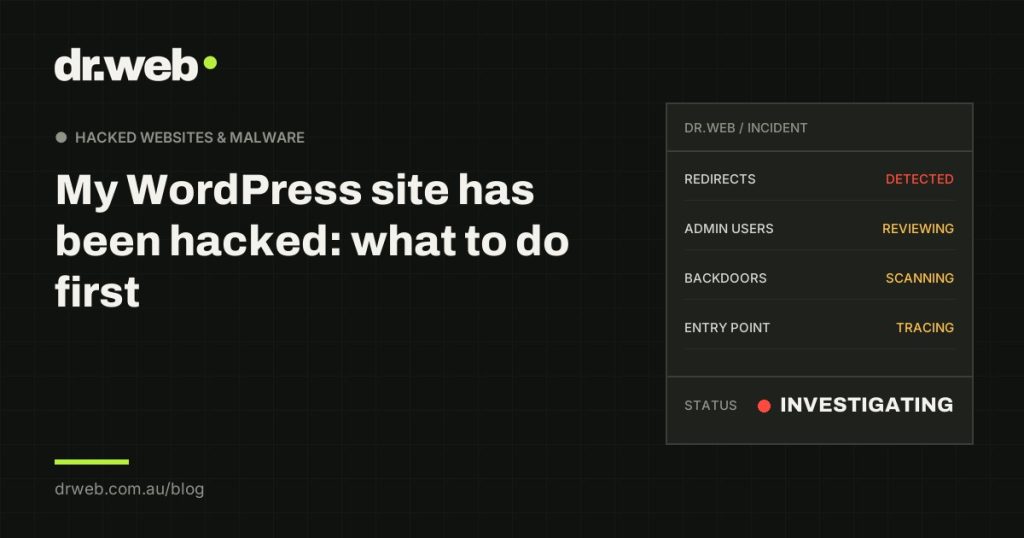
Finding out your WordPress site has been hacked is stressful, and the natural instinct is to start fixing things immediately. The first hour matters, but mostly for what you don’t do. Here’s a calm, practical order of operations that limits the damage and keeps your options open for a proper recovery.
What should I do first if my WordPress site has been hacked?
Confirm what’s happening, record it, and lock down access before you change anything on the site itself. Change your passwords from a trusted device, take screenshots of what you’re seeing, and hold off on deleting files or restoring backups until the entry point is understood.
In practice, the first hour looks like this:
- Confirm the symptoms from the outside (a logged-out visit on mobile, a Google
site:search). - Screenshot everything: redirects, warnings, unknown users, host notices.
- Change passwords for WordPress admins, hosting, FTP/SFTP and your domain registrar.
- Tell the people who need to know: your host, your team, and your web provider if you have one.
- Decide whether the site should stay online while it’s cleaned.
How do I confirm it’s really a hack?
Look for the definite signs: redirects to sites you don’t own, Google’s “This site may be hacked” label or a red browser warning, administrator accounts you didn’t create, or a malware notice from your host. Any one of those is enough to act.
Slowness, a broken layout after an update or a “critical error” message are more often technical faults than attacks. Our guide on how to tell if your WordPress site has been hacked walks through each sign and what it means.
Which passwords should I change, and in what order?
Start with the accounts that control everything else: hosting and domain registrar, then WordPress administrators, then FTP/SFTP and the database. Do it from a computer you trust, not one you suspect may be infected.
Hosting and domain registrar first
Whoever controls your hosting controls your files, databases and email. Whoever controls your domain can point it anywhere. Change these passwords and turn on two-factor authentication if it isn’t already enabled.
WordPress administrators
Reset passwords for every administrator account, including ones for developers or agencies you’ve worked with. Don’t delete unknown admin accounts yet. Note their username, email and creation date, then change their password so they can’t be used.
FTP, SFTP and database credentials
These are often forgotten, and they’re a common way back in. Your host can reset them. If you change the database password, the site’s wp-config.php file must be updated to match, or the site will go offline, so leave this one to whoever does the clean-up if you’re unsure.
Should I take my site offline?
If the site is redirecting visitors to scams, serving malware or showing a browser warning, taking it offline or putting up a maintenance page protects your customers and your reputation. If the hack is invisible to visitors, such as hidden spam pages, it can often stay up while it’s investigated.
Ask your host whether they can restrict access without deleting anything. Some hosts will suspend the account for you. If that’s already happened, don’t panic: suspension stops the damage, and the site can usually be brought back once it’s clean.
What should I avoid doing in the first hour?
Don’t delete suspicious files, don’t restore an old backup, don’t reinstall WordPress over the top, and don’t pay anyone promising an instant “hack removal” guarantee. Each of these can destroy evidence or leave the attacker’s way back in untouched.
- Deleting files removes the evidence that shows how the attacker arrived, and often misses the backdoor they left behind.
- Restoring a backup can bring back the infection if the backup was taken after the compromise, and it never fixes the vulnerability that was exploited.
- Reinstalling WordPress replaces core files, but most infections live in plugins, themes, uploads or the database.
- Instant-fix offers that arrive by email or social media right after a hack are frequently scams themselves.
Who should I tell about the hack?
Your hosting provider, anyone who manages the site, and your team. If customer or personal data may have been exposed, you may have further obligations.
The Australian Cyber Security Centre’s ReportCyber service at cyber.gov.au is the official place to report cybercrime. If personal information may have been accessed, check your obligations under the Notifiable Data Breaches scheme with the Office of the Australian Information Commissioner, or get legal advice.
What happens after the first hour?
A proper recovery identifies how the attacker got in, removes every change they made, closes the entry point, and verifies the site is clean before asking Google to remove any warnings. That usually means a file and database review, not just a plugin scan.
That’s the process behind our hacked WordPress and malware removal service. It starts with a paid assessment so you get a fixed quote before recovery work begins, and you can see real, anonymised examples in our Recovery Files.
Frequently asked questions
Sometimes, if the infection is simple and you’re comfortable working with files and databases. The risk is missing a backdoor, which leads to reinfection. If the site matters to your business, a professional clean-up is usually cheaper than doing it twice.
No. Changing passwords blocks one way back in, but attackers usually leave backdoor code that works without a password. Passwords are the first step, not the fix.
Not immediately. Record the account details first, then disable it by changing its password or role. Those details help work out when and how the site was compromised.
Many single-site recoveries are completed within a day or two once access is provided. Complex cases, such as repeat infections, multiple sites or suspended hosting, can take longer. Google’s review of a warning can take additional days after the site is clean.
Dealing with a hack right now? Tell us what you’re seeing or call 03 8771 5557. There’s no payment to submit a request.

